

CLASS SCHEDULE
New students must first REGISTER HERE.
Current students may enroll in classes by logging into the PARENT PORTAL.
*If you are a current student and have not used the parent portal before do not create a new account- click forgot password with the email we have on file.
* *Competition students: We will enter your classes for you. Check your parent portal for the links.
CLASS SCHEDULE
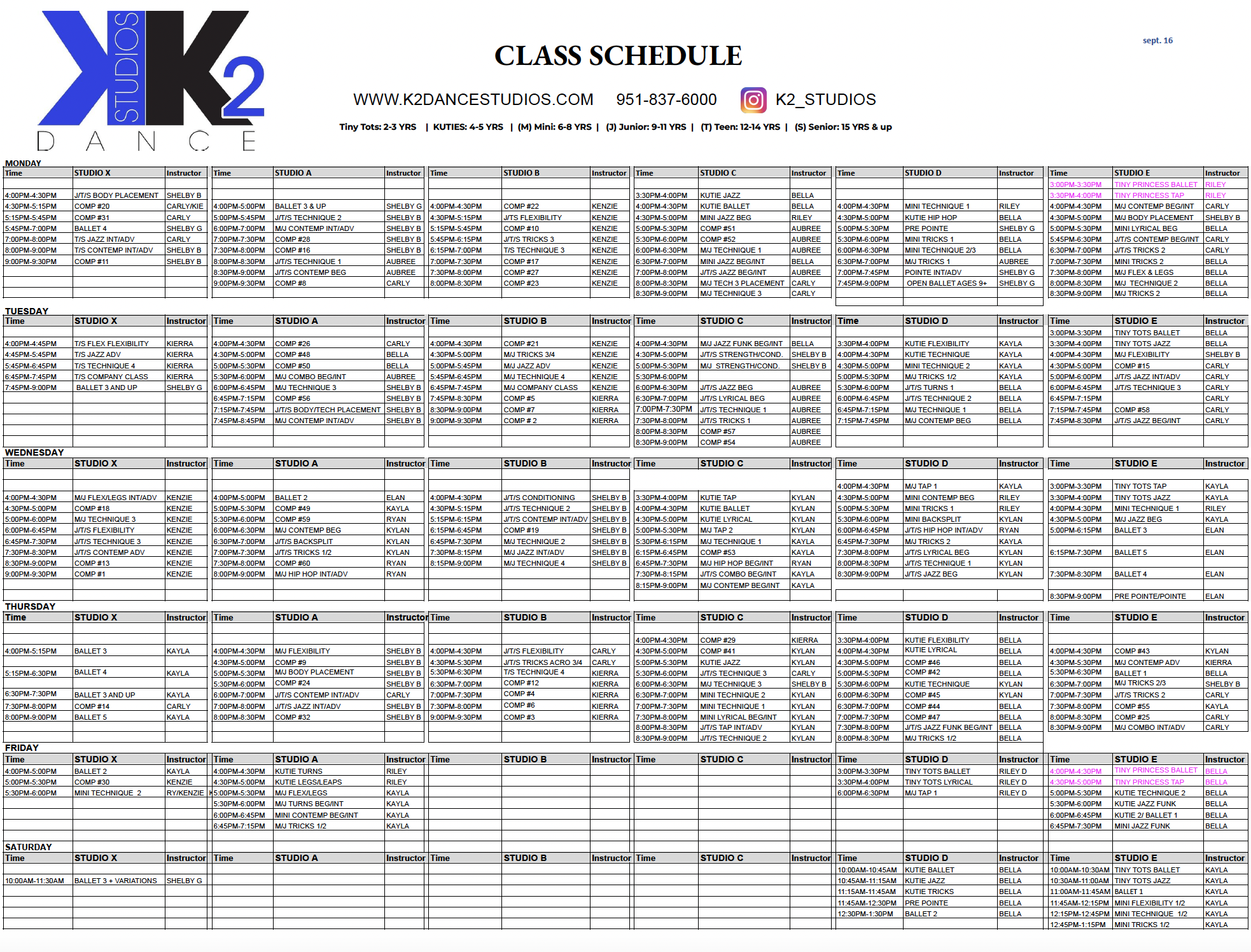
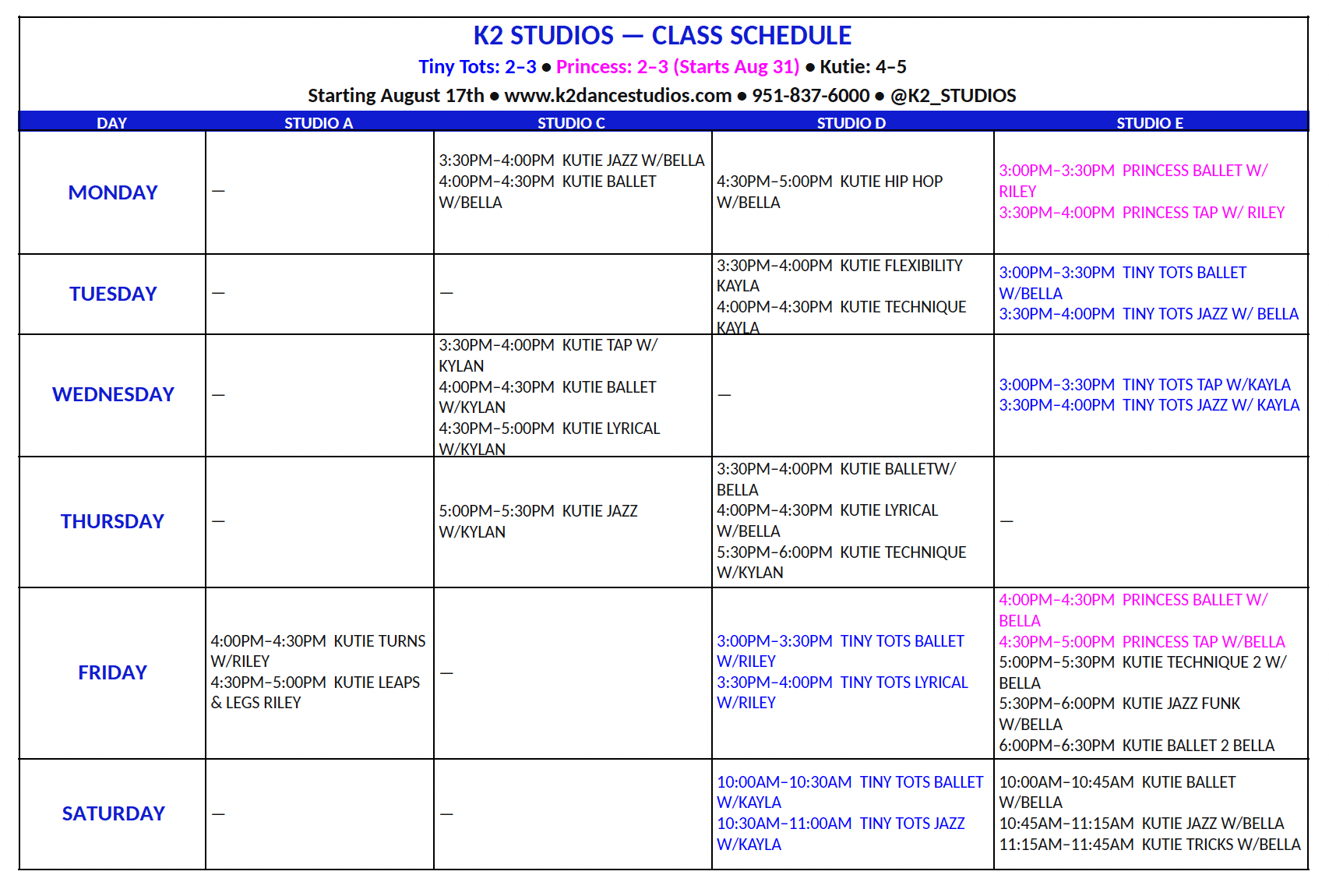
How to enroll in classes

step 1
Log in to your Parent Portal. Click “Find Classes”

step 2
Click on the class, select students, and add to cart. Add any additional classes.

step 3
Click on the cart. Click on “Accept enrollment fees and continue"

step 4
Click on Billing/Payments. Select fees then click pay now. You must pay for the classes BEFORE your child attends the class. If the payment process is not completed, we will automatically charge the card on file.
PRICING
If you need help selecting classes contact us! We are here to help!
**If you do not know your password go to the PARENT PORTAL and click forget password. Check your junk/spam folder for the reset password email. If you do not know what email your account is connected to contact us for assistance at
(951) 267-9510